
One app. Countless possibilities.
Start writing your story now.
From the first idea to the finished manuscript: Faustica supports you through writing, planning and developing your story. Chapters, characters, places, timelines, notes, mind maps and much more stay organized in one place.
No sign-up · No cloud · No AI · Buy once instead of a subscription
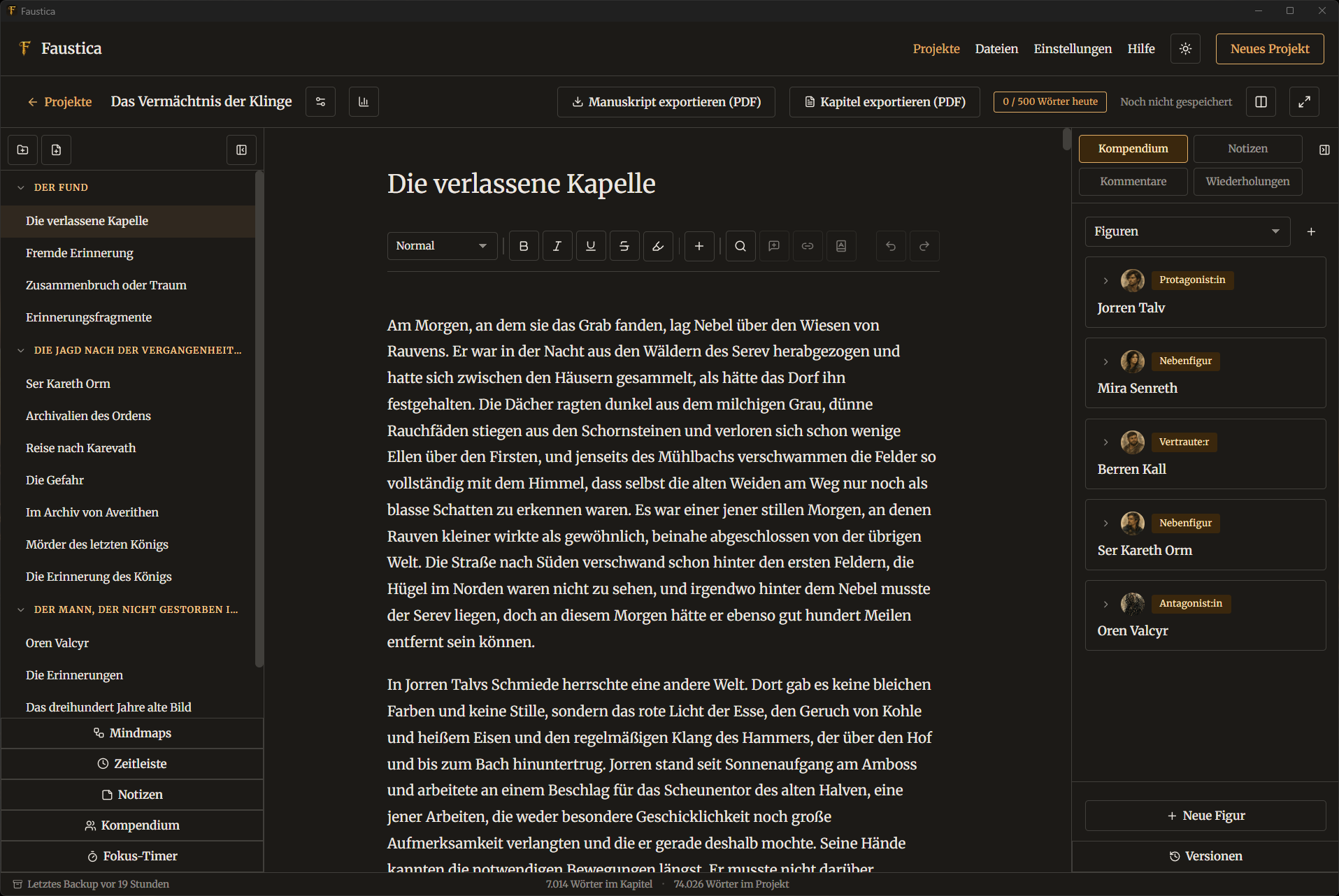
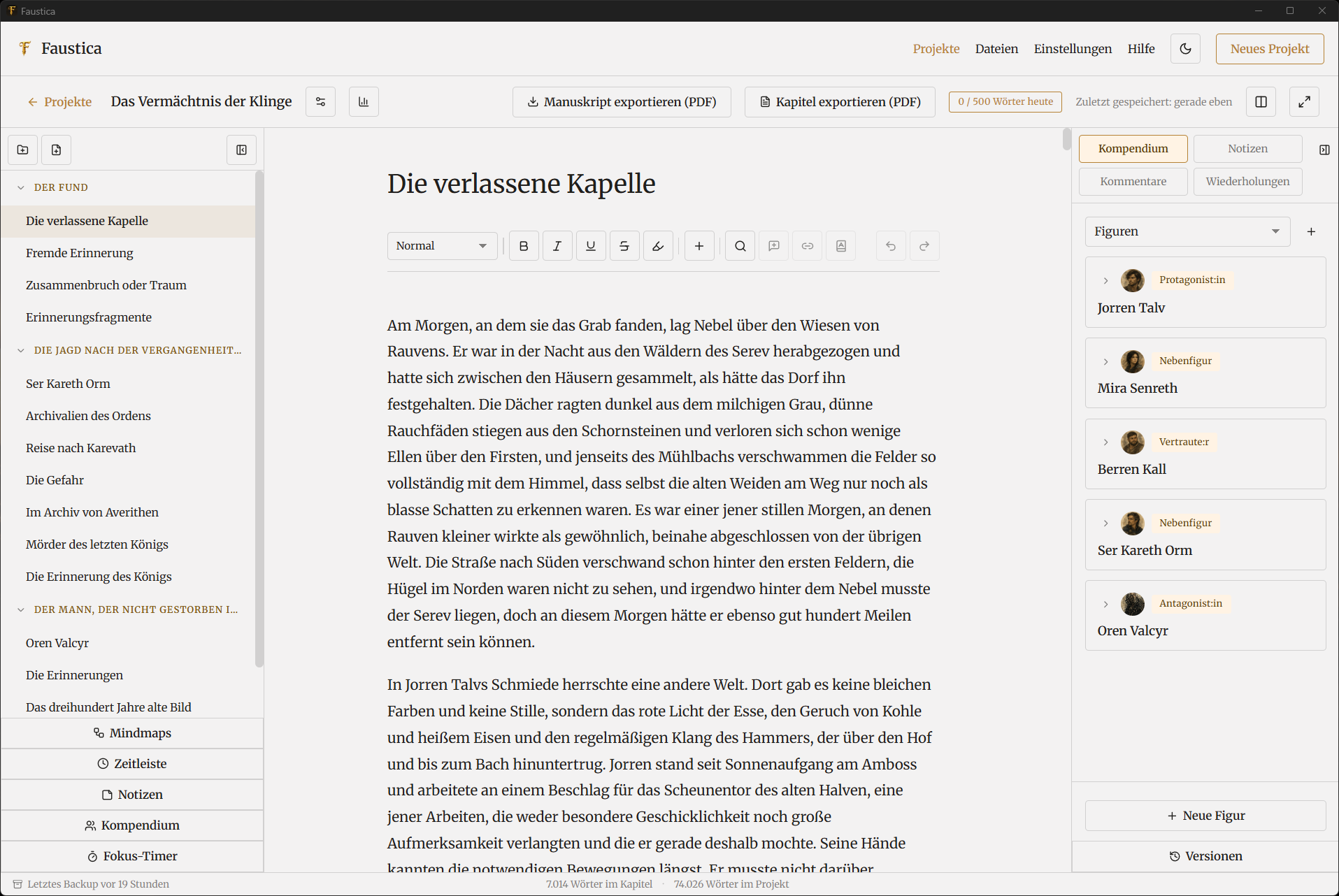
Your imagination has no limits.
With Faustica, you keep the overview.
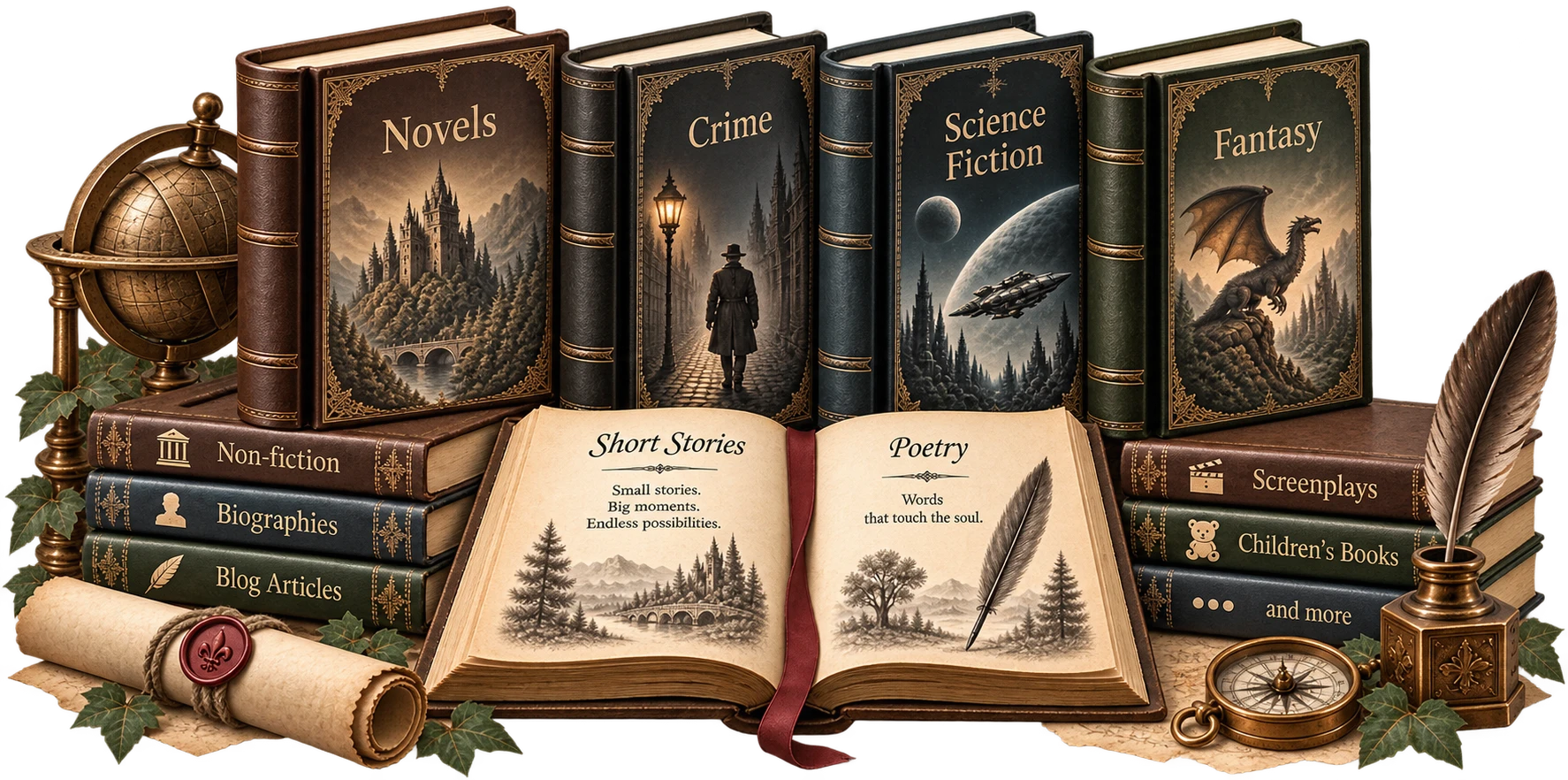
Whether it's a crime novel, a sprawling fantasy saga, a non-fiction book with clean sourcing, or a collection of short stories — Faustica gives every project the structure it needs, instead of forcing it into a fixed shape.
Features
Intuitive tools
that support you.
Faustica isn't a jack-of-all-trades. It focuses precisely on the tools that make your writing process simpler, clearer and more enjoyable.
The heart of Faustica:
Your editor.
Writing should feel light. That's why Faustica keeps everything you need for your manuscript within reach, without slowing you down with unnecessary complexity.
Chapters, characters, notes and tools stay within reach at all times.
When you want to concentrate fully on your text, Focus Mode clears the
screen with a single click. While revising, plenty of practical helpers and tools
support you — offline synonyms, word counts and repetition analysis —
while split view shows two chapters side by side.
With Faustica, your writing flow stays intact, from the first draft to the final revision.
Everything that rounds out your story stays just one click away —
from the compendium to mind maps, timelines and your notes.
- Distraction-free writing with Focus Mode
- All important project content directly within reach
- Practical writing aids for drafting and revising
- Open and compare two chapters side by side
- A personal workspace with your own background images
The world behind
your story.
The compendium keeps you on top of everything that makes up your story.
Characters, places, organizations, objects, events, cultures, religions, technologies or magic systems can all be collected in one structured place and developed further at any time.
The compendium adapts to your project: you can create your own categories and roles, tag entries with keywords, add images and record relationships between characters, places and other elements. Step by step, this builds a personal knowledge base tailored exactly to your story and the way you work.
Especially in larger projects, the compendium helps you keep track of connections instead of losing sight of them. Instead of hunting through different documents or notes, you'll always find the important details about your world directly in Faustica.
- Manage characters, places and many more categories with clarity
- Freely create your own categories, roles and keywords
- Record relationships and connections between entries
- Attach images, notes and extra details directly
- Link mentions from your manuscript to matching entries
- All the key information about your world, in one central place
Keep key events in view at all times.
The timeline lets you plan the important events of your story clearly and comprehensibly.
Multiple storylines can be shown in parallel, so you can quickly grasp developments, overlaps and chronological sequences.
You decide exactly how you want to work: either freely with your own time references, or with exact dates and times. Entries can be moved, linked to chapters, enriched with images and keywords, and flexibly organized across different storylines.
Especially for more complex stories, the timeline helps you keep the thread. You'll spot more quickly whether events follow each other logically, whether storylines line up, or whether timeline contradictions have crept in.
- Plan multiple storylines in parallel
- Use free-form or exact time references
- Reorder and move events via drag & drop
- Enrich entries with chapters, images and keywords
- Spot connections and timeline overlaps more easily
- Keep even complex plots clearly structured
Give your ideas room to grow.
With Faustica's mind maps, you can gather thoughts freely, organize them and connect them with each other.
Instead of just listing ideas one below another, you get a visual structure that helps you spot connections faster and develop new approaches.
You can create as many mind maps as you like for each project. Nodes can be freely placed on the canvas, linked together and styled individually. This lets you, for example, develop a plot, map out character relationships, structure locations, or capture first ideas for new chapters.
Mind maps are especially useful when a story isn't fully organized yet. You can let thoughts emerge freely at first, and later, step by step, bring them together into a clear structure.
- Create as many mind maps per project as you like
- Freely organize thoughts on a visual canvas
- Connect nodes to make relationships visible
- Use colors and shapes for better orientation
- Flexibly move, add to and develop your ideas
- Ideal for plot, characters, relationships and early story ideas
Your place for ideas, research and thoughts.
With notes in Faustica, you collect thoughts, research, open questions and spontaneous ideas exactly where they belong to your project.
You can create as many of your own note boards as you like and organize your content the way that fits how you work.
Every note can be given a heading, a color and keywords, and, if needed, linked to chapters or elements from your compendium. That way, an idea doesn't sit isolated somewhere, but is available exactly where you'll need it again later.
Additional materials find their place too: images, PDF documents and external links can be attached directly to a note. That turns a simple note collection into a flexible workspace for research, planning and everything that comes up along the way while writing.
- Create as many note boards per project as you like
- Organize notes clearly with colors and keywords
- Link them to chapters, characters and places
- Attach images, PDFs and external links directly
- Gather research, ideas and open questions centrally
- Find important information right where you need it
Feedback exactly,
where it belongs.
With Faustica's comment and editing features, you can leave notes directly on specific passages and track revisions with precision.
That way, notes, open questions and suggested improvements always stay connected to the right passage.
To work with an editor or beta reader, you can export individual chapters as a Word file. Comments and changes are preserved and, for individual chapters, can afterwards be brought back into Faustica and compared directly with the original (split screen).
That way you keep the overview even during an intensive revision phase, without giving up control of your existing manuscript structure.
- Leave comments directly on specific passages
- Mark notes as resolved and reopen them later
- Export individual chapters for editing
- Use Word comments and track changes
- Import revised chapters back into Faustica
- Compare changes conveniently in split screen with the original
Your story deserves a safety net.
Something is always changing while you write. That's why Faustica helps you keep track of older versions and reliably back up your projects.
Automatic versions preserve earlier states of your manuscript, so you can trace changes and, if needed, go back to an older version.
You can also create complete backups of your projects at a location of your choice. These can optionally be encrypted, and every backup also includes readable Word and Markdown copies of your manuscripts.
That way your project stays not just organized, but always accessible.
- Automatic versions of earlier manuscript states
- Restore older versions whenever you need to
- Complete project backups with a location of your choice
- Optional encryption for your backups
- Readable Word and Markdown copies in every backup
- An overview of your most recent backup status
From manuscript to
finished file.
Once your text is ready, Faustica turns it into the right format.
You can export your manuscript as a Word file, PDF, e-book or Markdown, and decide exactly how the result should look — from page format and margins to font, line spacing and paragraph styling.
Cover image, title page, table of contents, page numbers and chapter styling can all be included too. With just a few settings, your project becomes a file ready for sharing, revising or publishing.
You don't have to think through formatting from scratch every time either: templates for typical book and manuscript formats help you get to a consistent result quickly.
- Export as Word, PDF, e-book and Markdown
- Custom settings for layout and typography
- Templates for typical book and manuscript formats
- Include cover image, title page and table of contents
- Automatically account for page numbers and chapter styling
- Export whole manuscripts or individual chapters
Faustica, your way.
Everyone writes differently, so Faustica adapts to the way you personally work.
Whether it's a light or dark interface, different fonts, or a larger display size: you decide how your writing space should feel.
The editor itself can be styled individually too. For each project, you can choose your own background image, while side panels can be shown or hidden as needed. That way, exactly what you need stays visible, and everything else fades into the background.
That turns Faustica into more than a tool for your manuscript — it becomes a writing space shaped around you.
- Light and dark mode
- Different fonts for interface and editor
- Freely adjustable interface size
- Custom background images per project
- Flexibly show or hide side panels
- Adapt your writing space to the way you work
Focus Mode
You're the main character.
Focus Mode has your back.
Focus Mode gives your text your full, undivided attention.
Getting started
Set up in just a few steps.
Faustica needs no user account. There's deliberately no AI integration and no cloud connection. Your data belongs to you and stays on your device. You simply create a project (or import an existing manuscript from Word or Markdown), build the outline, and can start writing.
Try for free-
I
Create a project
The first time you launch Faustica, a five-step onboarding walks you through the most important areas. After that, you can just get started, with no extra effort. Set a title, genre and short description, optionally define a daily writing goal, or import an existing manuscript from Word or Markdown — Faustica automatically detects chapters and categories from the headings.
-
II
Build your outline & compendium
Set up categories and first chapters, add first characters and places to the compendium, create a mind map for loose ideas — all customized, exactly the way you want it. Use the tools you actually need.
-
III
Write
Use the editor to write and revise your chapters. You always have access to key tools like the compendium, the timeline, mind maps and notes, and can switch between them at any time. Because every area is just one click away.
-
IV
Back up & publish
Faustica automatically saves your work at the interval you choose. It also automatically backs up the previous version after the first change of the day, and you can manually create a complete backup at any time.
Faustica gives you a range of export and file formats to publish or share your manuscript. Formatting, layout and typography can all be customized.
Availability
Faustica is available in 28 languages.
Interface in 28 languages
Export to
At a glance
Everything Faustica does for you.
Price
Buy once. Keep using it.
No subscription. No cloud. No artificial intelligence.
No hidden costs.
Try Faustica for 30 days with no restrictions, at your own pace. If you like it, buy it once — and keep using it.
Buy once instead of a subscription · No payment details needed for the trial
About Faustica
Born from the search for a calm writing app.
Faustica grew out of a wish to build a writing app that feels good to use and isn't more complicated than it needs to be. I built Faustica alone — with a lot of time, a lot of ideas, and the ambition to build a tool that genuinely supports you while writing.
Faustica gives you a calm writing environment, intuitive tools, and enough structure to keep even larger projects well in view.
Questions
What writers ask me most often.
Do I need an account?+
No. Faustica runs without a user account and without the cloud. Your manuscripts live as files on your computer, and you choose where to keep your backups. Faustica works entirely offline.
What happens after the 30 days?+
Without the purchased full version, Faustica shows a lock screen
once the trial period has expired.
If you want to keep working with Faustica,
you'll need to buy it. After that, you can use Faustica without any restrictions again.
Use the trial period to try Faustica at your own pace and see
whether it fits the way you work.
Don't use the trial period for an actual project — use it to get to know Faustica.
How long is the license valid?+
Your Faustica license never expires and there are no annual fees. It's valid permanently for the major version you bought, for example version 1.0 through 1.x. You can use every update and improvement released for that major version at no extra cost.
Can I import an existing manuscript?+
Yes. The dashboard lets you import a Word or Markdown manuscript; Faustica automatically detects chapters and categories from the headings and shows you a preview before creating anything.
How many languages is the interface available in?+
Faustica is fully translated into 28 languages, including the help section and onboarding. Arabic and Hebrew run with a complete right-to-left layout.
Is there a built-in AI that writes along with me?+
No. Faustica never sends your text to any service. The built-in thesaurus works with local word lists, completely offline.
Which platforms does Faustica run on?+
Faustica runs on Windows and macOS.
How is my data protected?+
Manuscripts stay local on your computer. Backups can additionally be encrypted with AES-256-GCM, automatic version backups keep the last 30 versions, and an optional app lock with a PIN or password protects the program itself.
PLEASE CREATE REGULAR BACKUPS OF YOUR PROJECTS AND STORE THEM ON A SEPARATE PHYSICAL DEVICE (e.g. an external hard drive)