
Why I built Faustica
I spent a long time looking for a writing app that simply felt right — and (for me) never found one. So I started building one myself. A look back at the beginning, the deliberate decisions along the way, and why Faustica is the way it is today.
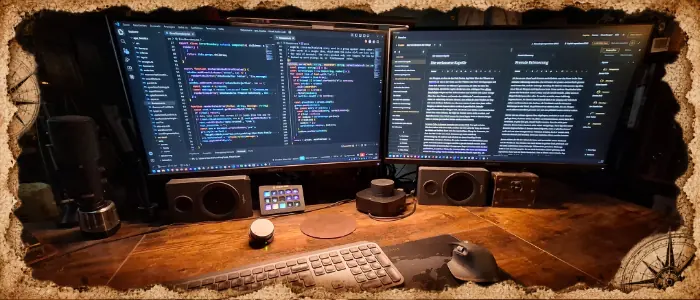
Before Faustica existed, what existed instead was mostly a long list of open programs: a word processor, worldbuilding tools, index-card apps, spreadsheets for characters and places, a separate program for the timeline, and somewhere in between, a handful of loose notes.
Each of these tools was good at something. Some of them very good, even. And yet I always had the feeling that I was spreading my story across several programs instead of actually working with it.
At some point I stopped looking for the right combination of tools and started building it myself.
The starting point: stay out of the way
There was no long feature list at the beginning. If anything, it was the opposite. I wanted a writing app that would occupy me as little as possible while I was actually writing.
No account to set up first. No cloud that needs to sync just so I can work on my own text. No features constantly demanding attention. And no artificial intelligence uninvited, trying to continue my story, restructure it, or suggest how a sentence might supposedly sound better.
I wanted an editor, my story, and a structure behind it. Plus tools that would be available when I needed them, without constantly trying to push themselves into the foreground.
Surprisingly many things that still define Faustica today grew out of that one decision.
Example 1: Focus Mode
At some point while writing, I noticed just how much interface is constantly in front of you, even though you don't need most of it in that particular moment.
Menu bars, side panels, toolbars, formatting options, statistics, buttons and information. All of it can be useful. But while I'm trying to write a paragraph, remarkably little of it actually helps.
So Focus Mode in Faustica does something very simple: it disappears.
What's left is the text, the cursor, and optionally a background image of your choice. Everything else stays reachable, but not constantly visible. To me, that's a good example of what Faustica is supposed to be: features don't have to be permanently present just because they exist.
Example 2: the compendium
If you've worked on a somewhat larger story, you probably know this moment: a character reappears after five chapters, and suddenly you're wondering what color their eyes actually were. Or what the innkeeper in that town was called — the one mentioned briefly, right at the beginning.
The bigger a story grows, the more memory it demands from you.
That's why I didn't want a simple character list sitting somewhere next to the manuscript. The compendium was meant to be part of the story itself.
Characters, places and other entries can optionally be linked to their mentions in the manuscript. That means you can not only look up who or what something is, but also see exactly where an entry actually appears (as long as you've marked it).
That sounds like a small feature. But when writing longer stories, something like this can be the difference between "wait, where did I write that again?" and a single click.
Example 3: the timeline
The timeline came about in a similar way.
Once a story involves multiple storylines, flashbacks or events, a simple list eventually stops being enough. You want to know what's happening at the same time, which storyline starts first, or whether enough time has actually passed between two events.
That's why events in Faustica can be recorded not just chronologically (exactly or freely), but also assigned to different storylines.
Here too, the goal wasn't to build the most complex planning system possible. The timeline is meant to answer a question while you write, without becoming the next project in itself.
Example 4: backups
Another decision had less to do with comfort and more with trust.
Faustica saves projects locally. There is deliberately no cloud sync and no server holding your manuscript. Everything works entirely offline.
But that also means backups matter even more.
That's why Faustica automatically creates its own version of the project on the first change of each day. On top of that, you can create manual backups at any time and optionally store them encrypted.
That doesn't replace a backup strategy of your own. Important manuscripts should, for me, always also live in a second location (an external hard drive, for example). But it does provide a safety net running quietly in the background, without you having to think about it every evening.
What I deliberately didn't want to build
Something else occurred to me during development: a program doesn't automatically get better just because it can do more.
Of course the temptation is always there to add just one more feature. Especially for writing software, the list could practically be endless.
But at some point, a tool meant to help with writing turns into a system that first has to be learned, configured and maintained.
Faustica isn't meant to replace a professional author's suite that covers every conceivable configuration, every specialized export and every imaginable workflow. There are programs that have specialized in exactly that for many years.
Faustica deliberately takes a different approach: it should do just enough that a story can emerge, grow and stay organized in one place, without you first having to learn how to operate the tool.
That line isn't always easy to draw. And I'll probably keep having to redraw it as new features come along.
At some point, a personal tool became a real program
What started out as a solution to my own search grew considerably larger over time.
Text editing was joined by timelines and mind maps, a relationship graph, several note boards, comments and editing features, versions and backups, and exports to Word, PDF, e-book and Markdown.
And at some point, the question came up that's pretty decisive for a personal project:
Am I actually still only building this for myself?
Eventually, the answer was: no.
That changed my perspective on Faustica too. Features had to be understandable without me standing next to someone explaining what I meant by them. Workflows had to work for people opening the program for the very first time. And slowly, many small decisions turned into one coherent writing app.
Even so, I try not to lose sight of the original idea.
Faustica is still a personal project today
Faustica isn't developed by a large software team. There's no corporation behind it, no department with product management, marketing and twenty developers.
I develop Faustica myself.
That naturally means not every idea can be implemented right away, and that Faustica doesn't try to replace every specialized tool out there. At the same time, it also means that a lot of decisions can be made very deliberately.
A new feature doesn't just need to look good on a feature list, for me. It has to fit the program.
Does it help with writing? Does it make an existing workflow simpler? Or does it mostly just create extra interface and new settings?
Those questions are probably the best filter Faustica has gotten throughout its development.
What's come of it so far
What started as a search for a calm writing app has, by now, grown into considerably more than I planned at the beginning.
But the ambition behind it has stayed the same:
Faustica should feel like it was built for exactly one purpose — writing great stories.
Not opening more programs than necessary. Not organizing the tool before you can organize the story. And keeping as little as possible between the idea in your head and the next sentence on the page.
Faustica is certainly not the right writing app for everyone. It's not meant to be, either.
But maybe it's exactly right for people who, while writing, like having a lot of things in one place — and still want their peace and quiet.
If you'd like to find out whether that fits the way you write, you'll soon be able to try Faustica yourself. The download page will have the current version, and you can test it with the full feature set for 30 days.