02 / 02
Export for editing
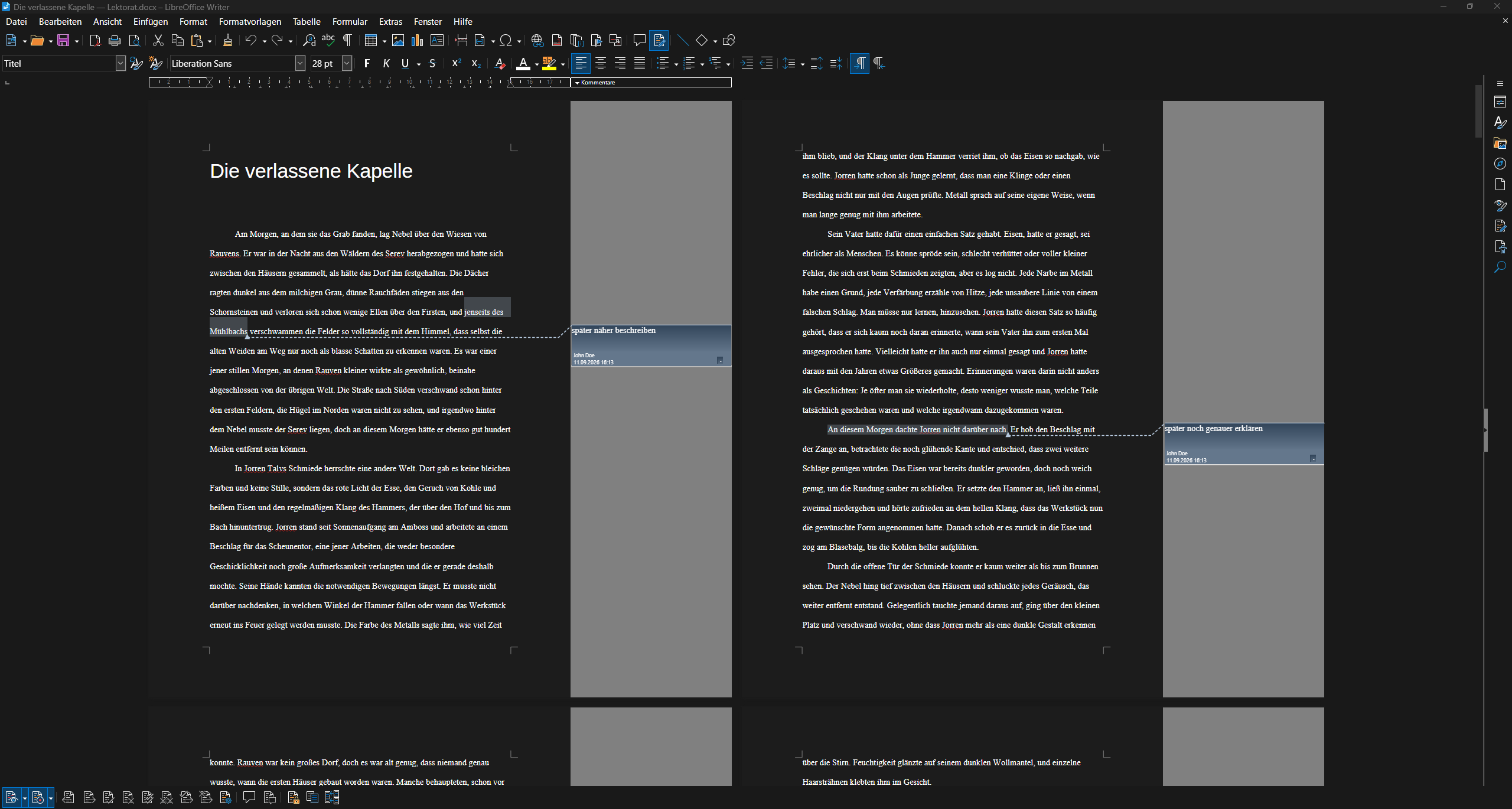
This is how your chapter reaches your editor: a Word file with comments, opened here in LibreOffice.

Feature 08
With comment and editing features, you leave notes directly on specific passages and track revisions with precision.
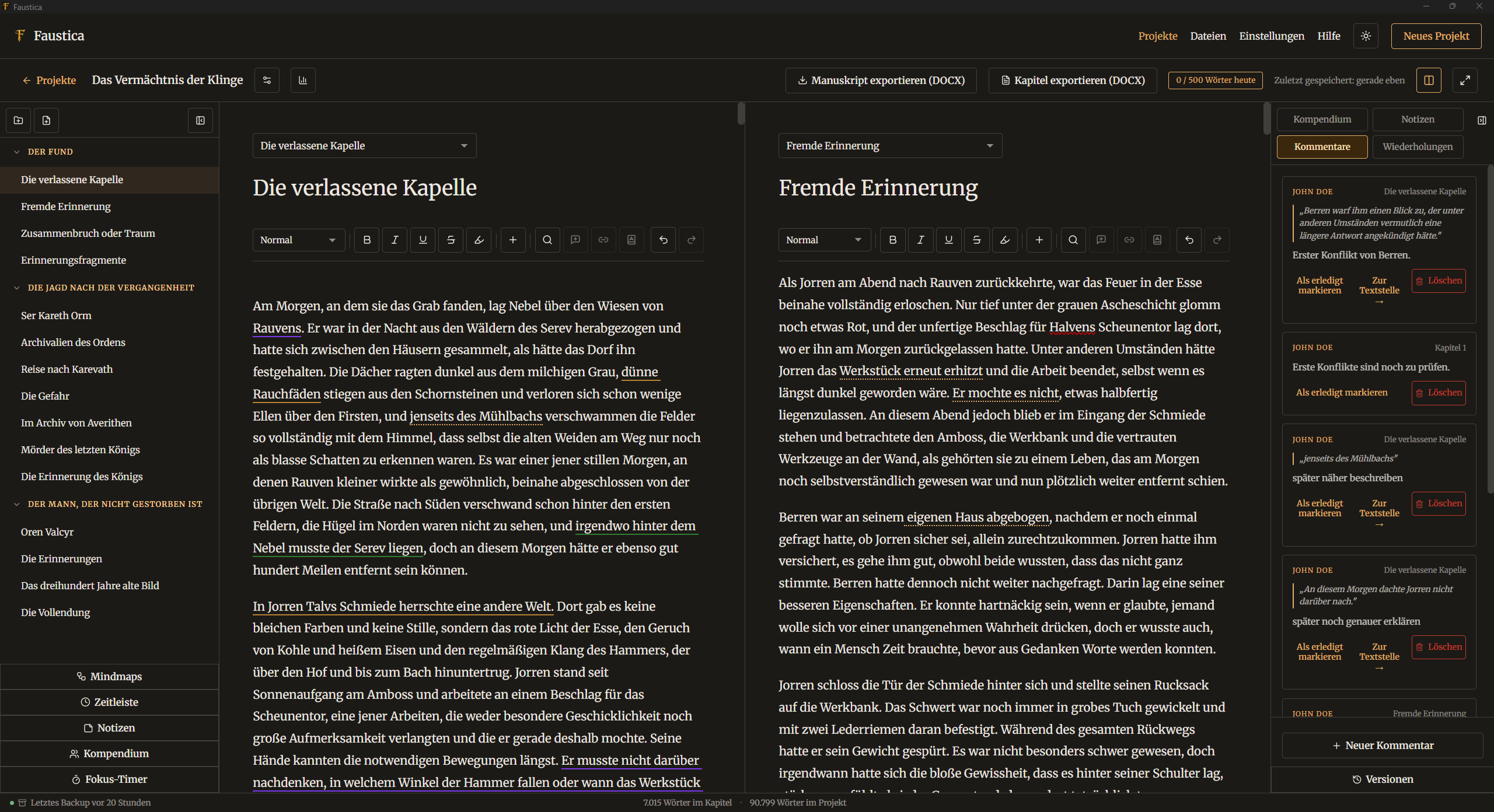
Notes, open questions and suggestions always stay connected to the right passage. One click takes you to the linked passage.
To work with an editor or beta readers, you export individual chapters as a Word file. Comments and changes are preserved, can be brought back into Faustica afterwards and compared directly with the original in split view.
That way you keep the overview even during an intensive revision phase, without giving up control of your manuscript structure.
In detail
This is how your chapter reaches your editor: a Word file with comments, opened here in LibreOffice.
Try it
Free for 30 days, with no limitations. No account, no AI. If you like Faustica, you buy it once and keep using it.
One-time purchase, no subscription · No payment details needed for the trial