02 / 03
Structure
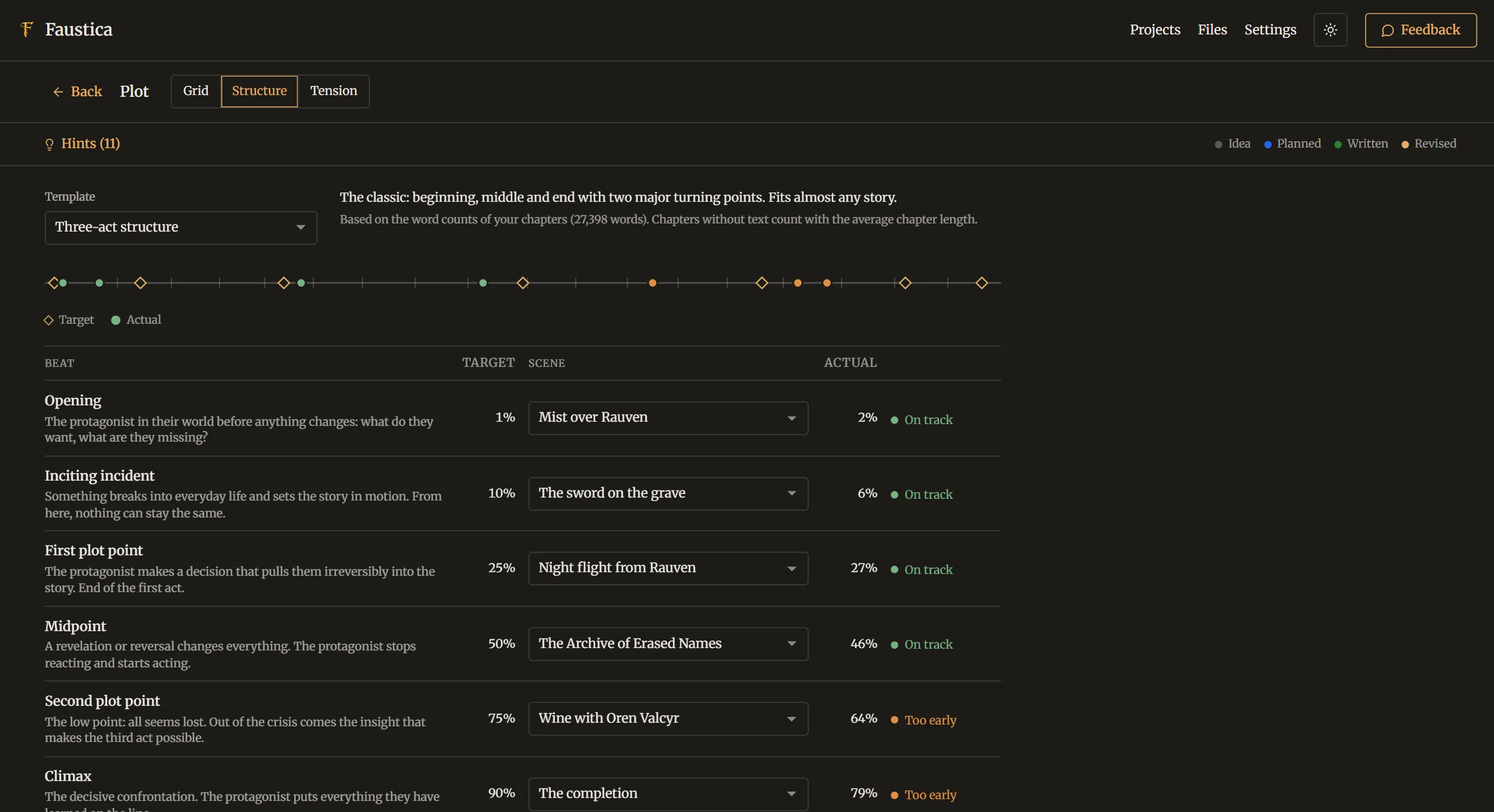
Pick a structure template, assign your scenes to its turning points and see on the book axis whether they land too early, too late or just right.

Feature 02New
The plot planner connects your storylines with the real chapters of your manuscript, so you always see which scene happens where and how your story develops.
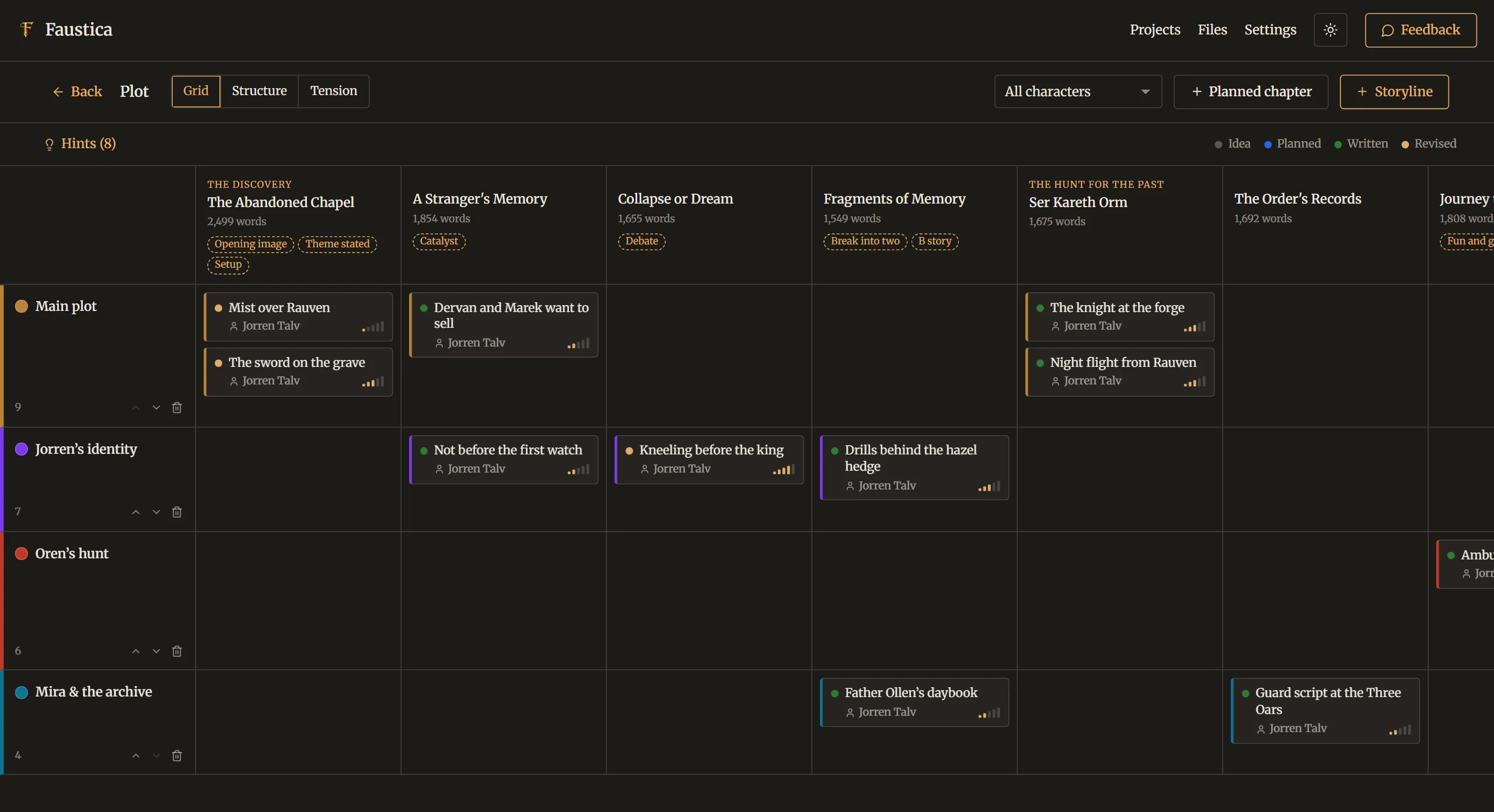
In the plot planner, storylines form the rows and the chapters of your outline form the columns, in reading order, with part and word count. You create scene cards with one click and move them via drag & drop. Each scene can hold a summary, status, point of view, characters, location as well as goal, conflict and outcome.
Chapters you haven't written yet can be planned as their own columns and later turned into a real chapter with one click. “Highlight character” instantly shows which scenes a particular character appears in.
For the big arc, four structure templates are ready: three-act structure, the hero’s journey after Vogler, Blake Snyder’s 15-beat structure and Dan Wells’ 7-point structure. Faustica calculates from your real word counts where your turning points actually fall and compares that with the template. The tension curve shows how intensity develops across the book.
Hints point out possible weak spots: dormant storylines, characters who have been missing for a long time, scenes without a chapter, turning points in unusual places or tension that stays too flat. Every hint can be dismissed individually.
In detail
Pick a structure template, assign your scenes to its turning points and see on the book axis whether they land too early, too late or just right.
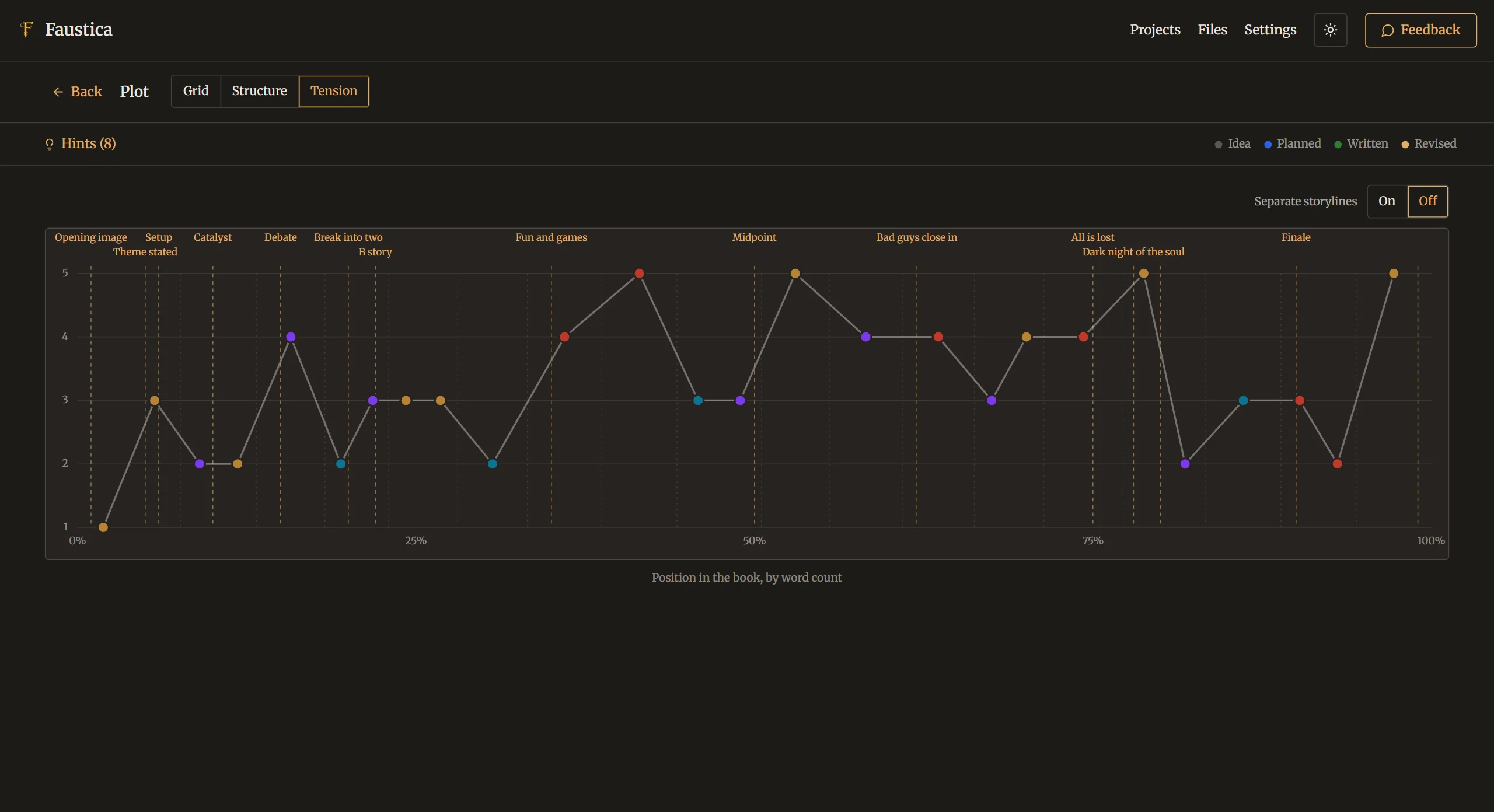
Every scene gets a tension value from 1 to 5. The curve across the whole book reveals peaks, valleys and flat stretches, with turning points drawn in as lines.
Try it
Free for 30 days, with no limitations. No account, no AI. If you like Faustica, you buy it once and keep using it.
One-time purchase, no subscription · No payment details needed for the trial

