
Feature 06
Your place for ideas, research and thoughts.
With notes in Faustica, you collect thoughts, research, open questions and spontaneous ideas exactly where they belong in your project.
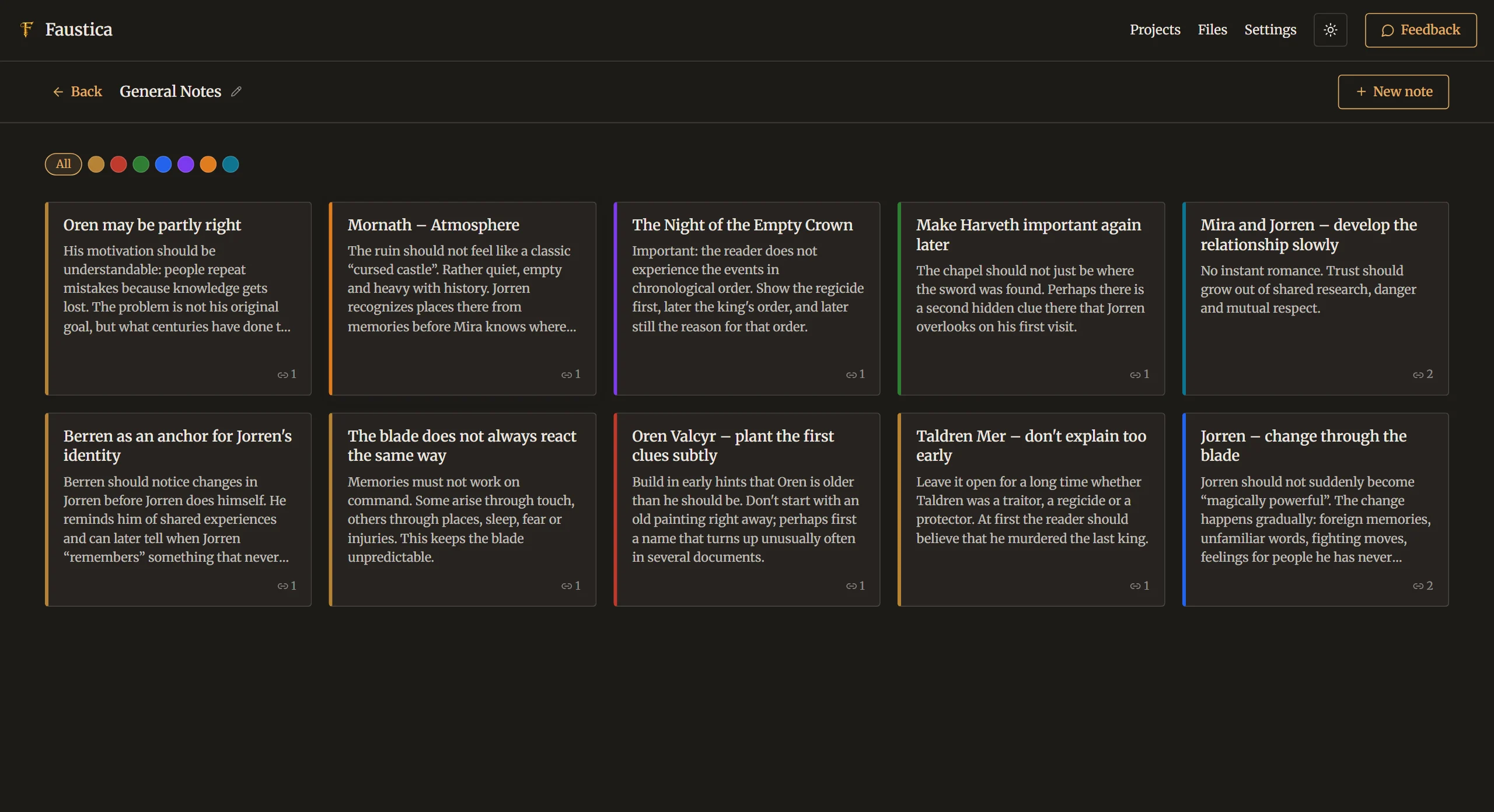
Create as many note boards as you like and organize your content the way you work. The calm card view shows all notes of a board clearly, one click opens a note for editing.
Every note can get a heading, a color and keywords, and can be linked to chapters or compendium entries. In the editor, linked notes appear right in the side panel, exactly where you need them while writing.
Additional material finds its place too: images, PDF documents and external links can be attached directly to a note. That turns a simple collection into a flexible workspace for research and planning.
Try it
See for yourself.
Free for 30 days, with no limitations. No account, no AI. If you like Faustica, you buy it once and keep using it.
One-time purchase, no subscription · No payment details needed for the trial