
Self-publishing means publishing your book without a publisher and taking on a publisher’s tasks yourself or hiring freelancers for them: editing and proofreading, cover, interior layout, e-book, ISBN, price, distribution and marketing. Technically, this is easy today. You upload an e-book and a print file to a self-publishing platform or distributor, and printed copies are usually produced only when someone orders one. The real work lies in making a book that can stand next to traditionally published titles, and in reaching readers.
On this page you’ll find which tasks are involved, nine steps from finished manuscript to published book, what the best-known platforms offer and which costs to expect. Whether self-publishing is the right route for your book at all is compared on the page How to publish a book.
What self-publishing involves
When you self-publish, you are, legally and practically, your book’s publisher. That brings freedoms and tasks:
- You decide: title, cover, price, publication date, formats and sales channels.
- You keep your rights: depending on the platform, you grant only the rights needed for distribution. Still, read the terms, especially on exclusivity and on removing your book.
- You pay the costs: editing, proofreading, cover and, where needed, layout and ISBNs are on you. In return, you usually earn a larger share of each sale than under a publishing contract; the exact terms are on each platform’s pages.
- You do the marketing: without a publisher’s sales team, it is up to you to make sure your book is found.
Platforms and distribution
There are essentially three kinds of services. Many authors combine them.
- Retailers’ own self-publishing programs: Large online retailers run their own programs through which you sell e-books and often print books directly in their store. Some require exclusivity for certain benefits.
- Distributors: They deliver your e-book, sometimes also your print book, to many stores at once, in some cases to libraries as well. In return, they keep part of the revenue or charge fees.
- Print-on-demand services: They print single copies when ordered and make the book available to bookshops. You don’t have to finance a print run, but each copy costs more than in an offset print run.
What three well-known services say on their official pages (as of October 2026):
- Amazon KDP (Kindle Direct Publishing) publishes e-books for Kindle as well as paperbacks and hardcovers. Its optional program KDP Select is a free 90-day program for Kindle e-books; e-books enrolled in it are automatically included in Kindle Unlimited. In return, you commit to making the digital format of the book available exclusively through KDP; print editions are not affected.
- IngramSpark offers print-on-demand paperbacks and hardcovers, e-books and distribution to retailers. More at ingramspark.com.
- Draft2Digital distributes e-books to many retailers and offers print-on-demand under the name D2D Print. More at draft2digital.com.
Terms, formats and technical requirements change regularly. So don’t rely on figures from forums or older guides; check the provider’s current help pages before you decide.
Nine steps to your own book
- Revise the manuscript thoroughly. Self-publishing doesn’t replace revision. Feedback from beta readers shows you where the text doesn’t yet work.
- Plan for editing and proofreading. An editor works on content and style, a proofreader on spelling, punctuation and typos. What each service covers is explained on the page Editing vs. proofreading.
- Have a cover designed. The cover has to work as a thumbnail in an online store and show the genre at first glance. For the print edition, you also need a spine and back cover; their dimensions depend on trim size, paper and page count and are given in your provider’s specifications.
- Sort out ISBNs. An ISBN identifies one edition of your book. According to ISBN International, ISBNs are issued by national or regional ISBN agencies, for example Bowker in the US and Nielsen in the UK and Ireland; whether ISBNs cost money and how much depends on the agency. Each format, such as paperback, hardcover and e-book, needs its own ISBN. Some platforms provide free ISBNs: according to its help page on ISBNs, KDP offers a free ISBN for paperbacks and hardcovers, which can only be used on KDP, and an ISBN is optional for Kindle e-books.
- Create the e-book. The usual format is EPUB. It needs a clean structure with real chapter headings so the table of contents and navigation work. Check the result on several devices or in a reading app.
- Create the print file. Usually a PDF in the trim size of the printed book, with a suitable layout, embedded fonts, front matter and a copyright page. How it differs from a submission manuscript is explained on How to format a manuscript.
- Write the description and metadata. The book description, categories, keywords and author details help decide whether your book is found in stores. The description makes readers curious and doesn’t give away the ending.
- Set the price and upload. Check the preview, and order a proof copy of the print edition before publishing. Errors in layout or on the cover look different on paper than on screen.
- Take care of your obligations and your readers. Your obligations include keeping records of your income for tax purposes and, depending on your country, other rules such as legal deposit for published books; ask the relevant authorities or a tax advisor, not a forum. And you need a plan for reaching your readers, for example through your own website, a newsletter, readings or advance review copies.
An example: planning publication of Rika’s standalone
This example plans publication of an invented suspense novel: ferrywoman Rika is used for drug shipments by her childhood friend Hauke and threatened after discovery. Afraid of him, she devises a fake engine failure and anonymous tip. Suppose this story has become a completed, revised standalone; a possible plan follows.
| Task | Choice for this example |
|---|---|
| Text work | Check the buildup of Hauke’s aggression, Rika’s fear and the anonymous trap. |
| Cover | Signal island suspense rather than a cozy travel story. |
| Blurb | Establish dependence and threat without revealing the specific trap. |
| Publication files | Produce the chosen formats and test on devices or in a print proof. |
| Schedule | Set dates only after realistically assessing revision and production. |
No second volume is established. Promising a fast sequel merely to fit a publishing strategy would misrepresent the teaching story. This is planning around a possible novel, not an already available book.
Common mistakes
- Publishing without editing and proofreading. Readers forgive few errors, and reviews stay.
- A cover that doesn’t fit the genre. A homemade or unsuitable cover signals “unprofessional” in the store at once.
- Not checking the print file. Without a proof copy, shifted page numbers, wrong margins or a spine that is too narrow go unnoticed.
- Overlooking exclusivity. Some programs tie your e-book to one store for a set period. Read the terms before you agree.
- No plan for visibility. A book doesn’t sell just because it has been uploaded.
Practical tips
- Set a budget before you ask for quotes, and prioritize: editing and the cover usually have the greatest effect on how the book is received.
- Read your platform’s help pages in full, especially on file formats, cover dimensions and terms.
- Use the same author name and consistent metadata everywhere so your books are found together.
- Put everything you agree with freelancers in writing: services, deadline, price and usage rights, for example for the cover image.
Using Faustica
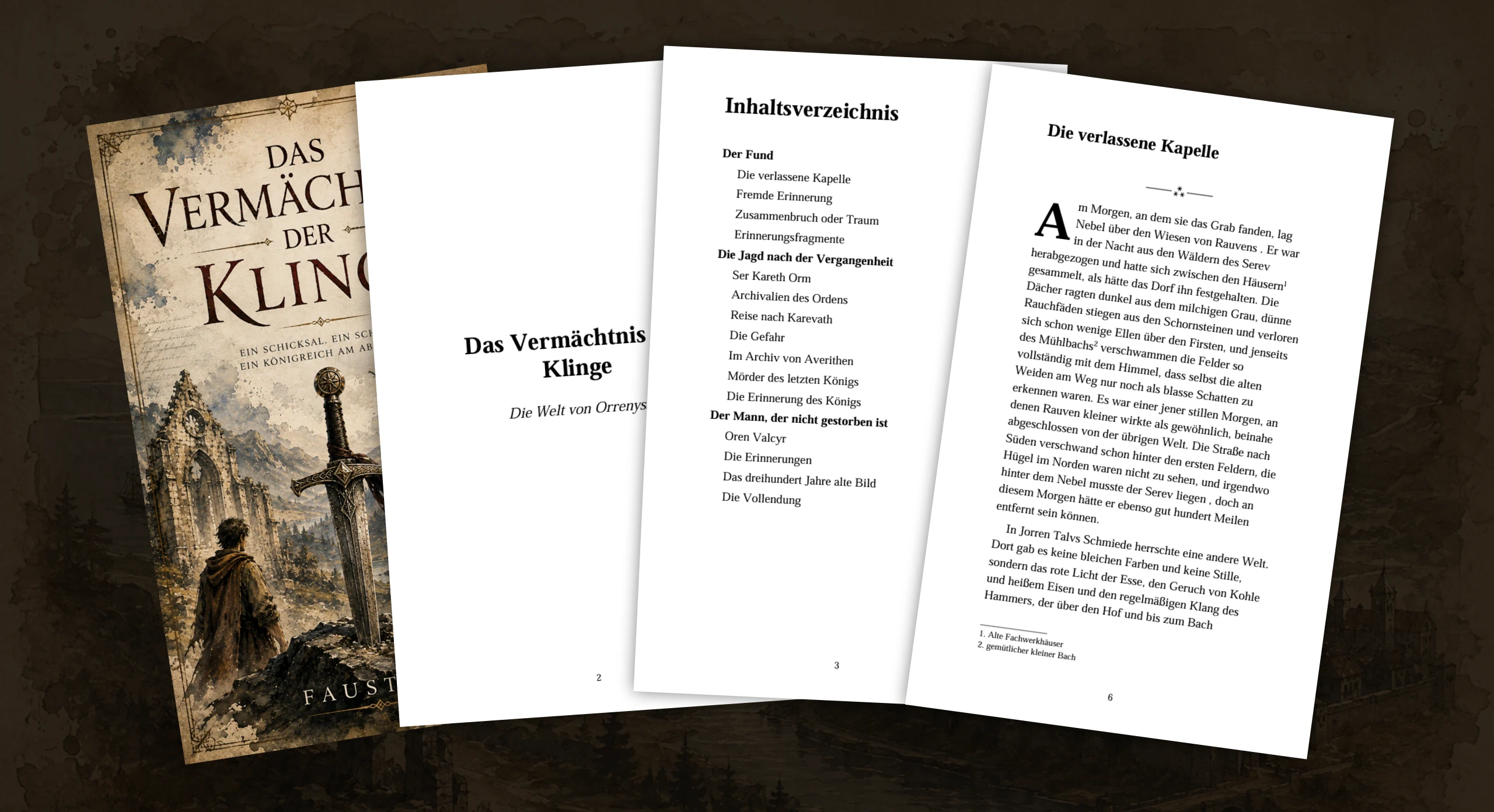
For the e-book and the print edition, you need different files from the same text. Export outputs your manuscript as an e-book (EPUB), PDF, Word file or Markdown, with templates for paperback and e-book. Cover image, title page, table of contents, page numbers and chapter styling can be included, and you set page format, margins and font yourself. Whether the files meet your platform’s technical requirements is something you then check against its help pages.
For editing, you export individual chapters as a Word file; you then bring your editor’s comments and changes back in and compare them with the original in split view. Project Statistics show the length of your book in words, the figure editors usually need for a quote.
Frequently asked questions
Do I need an ISBN to self-publish?
It depends on the format and the platform. KDP, for example, says an ISBN is optional for e-books, while print books need one; it offers free ISBNs for paperbacks and hardcovers that can only be used on KDP. If you buy your own ISBNs from your country’s agency, you appear as the publisher and can use them with any platform.
Can I publish an e-book and a paperback at the same time?
Yes, that is common. Both editions need their own files and, if you use ISBNs, their own ISBN each. They can be published through the same platform or through different ones.
How much does self-publishing cost?
Platforms earn their money through a share of sales, fees or both; the terms differ from platform to platform. The main costs come from the services you buy: editing, proofreading, cover, perhaps layout, ISBNs and marketing. How much of this you can do yourself determines the total.
Can I self-publish under a pen name?
Yes, pen names are common in self-publishing. Platforms, payment providers and tax authorities will still need your real details. Check your platform’s requirements and the rules in your country.